
Claude Code vs Cursor: Same prompt, two different results — which is better?
In this battle, I asked both Claude Code and Cursor to build me a landing page from a Reddit prompt. Copy-pasted the prompt as is to both tools and hit send. In the comparison bellow I highlight the differences and results I've got from the same prompt.

Verdict — spoiler alert!
Reveal
Verdict — spoiler alert!
Winner: Claude Code — the output it produced was noticeably higher quality than Cursor’s.
But this win comes with a caveat: Claude Code can be slow. If your goal is fast iteration and quick results, I suggest you choose Cursor instead.
Claude Code
Claude Code is an agentic coding tool developed by Anthropic. It's one of the AI tools for coding that I return to the most. Spin up a couple of terminals with a Claude instance, and you are unstoppable - from launching a one-man startup to doing marketing. A do-it-all tool!
Want more details? See the full Claude Code breakdown →

Cursor
Cursor is one of the most popular AI code editors in the world right now — and for good reason. It's built on VS Code, so if you've ever written a line of code, the interface will feel instantly familiar. It's fast, intuitive, and offers a free tier to get you started without spending a cent.
Want more details? See the full Cursor breakdown →
Side-by-Side Specs
| Feature | Claude Code | Cursor |
|---|---|---|
| Pricing | $17/mo Pro or Pay-per-token API | Free + $20/mo Pro (Usage-based pool) |
| Base Model | Claude 4.6 (Sonnet/Opus) | Multi-model (GPT-4o, Claude 4.6, etc.) |
| IDE Type | Terminal / CLI | VS Code fork |
| Agentic Mode | Agentic Loop & Subagents | Composer & Cloud Agents |
| Context Window | 200k - 1M tokens | Varies by model (up to Max Mode) |
| Codebase Index | ✓ (Native / via MCP) | ✓ (Native) |
| Web Search | ✓ | ✓ |
| Privacy Mode | ✓ (Opt-out training standard) | ✓ |
| Free Tier | No | Hobby plan (Limited limits) |
| Extensions | MCP, Hooks, Skills | Full VS Code market |
What I Set Out to Test
Each goal defines a specific test area, what I evaluated, and what a winning result looks like
Click a goal to jump to its resultUI/UX
Cursor's IDE integration vs Claude Code terminal based interface
Desired Outcome
Easy navigation and ease of use of the AI Tool
Speed/Performance
After you hit the send button, how long does it take for the agent to generate the results?
Desired Outcome
Timely and reliable outputs
Context Retention
How is the tool's ability to handle and maintain the context ?
Desired Outcome
It remembers the project details
Frontend design
Does the tool replace a frontend developer?
Desired Outcome
Visually pleasing landing page
Cost
These tools come at a similar price, but how do they compare?
Desired Outcome
Get more bang for you buck
Integration into workflow
How does the tool integrate in a dev's workflow?
Desired Outcome
Ease of integration to existing workflow
Test outcomes
Let's see what we got as results when battling these two tools
UI/UX
 Winner: Cursor
What I Tested
While testing both tools for building a landing page, I put myself in a beginner's shoes — since most people picking these up will have little to no coding experience. I compared both interfaces through the lens of user-friendliness.
Outcome
Cursor’s interface is better, and the reason is simple: it feels familiar. Even beginner coders are comfortable with a VSCode-like environment.
The one downside is that the Cursor team sometimes overreaches — pushing updates that pull you out of that familiar territory with new buttons and tabs that clutter an otherwise clean interface.
Being a full IDE integration is a fundamental difference between the two tools, and it makes Cursor the better choice for beginners and aspiring vibe coders.
I love the terminal-based Claude Code interface, but I’d only recommend it for intermediate to experienced users.
Screenshot/Video
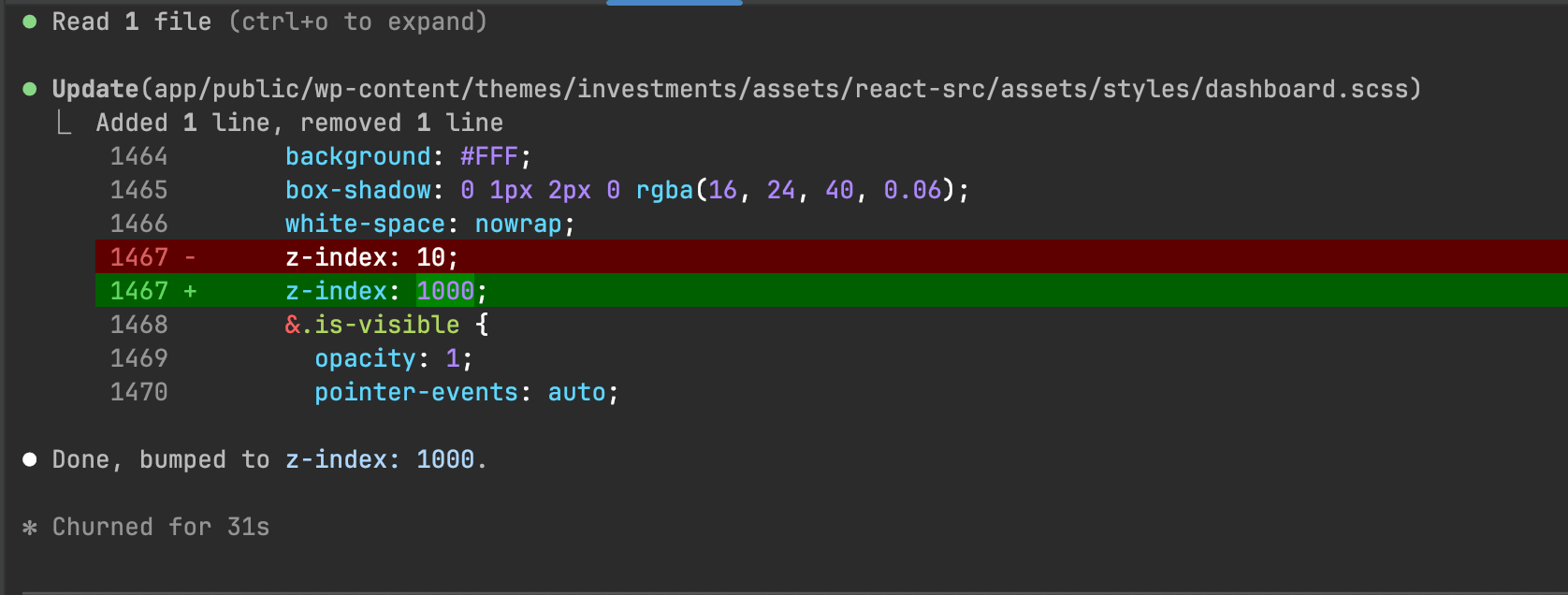
Claude Code is a terminal based tool suited for more experienced devs and needs time to get used to
Screenshot/Video
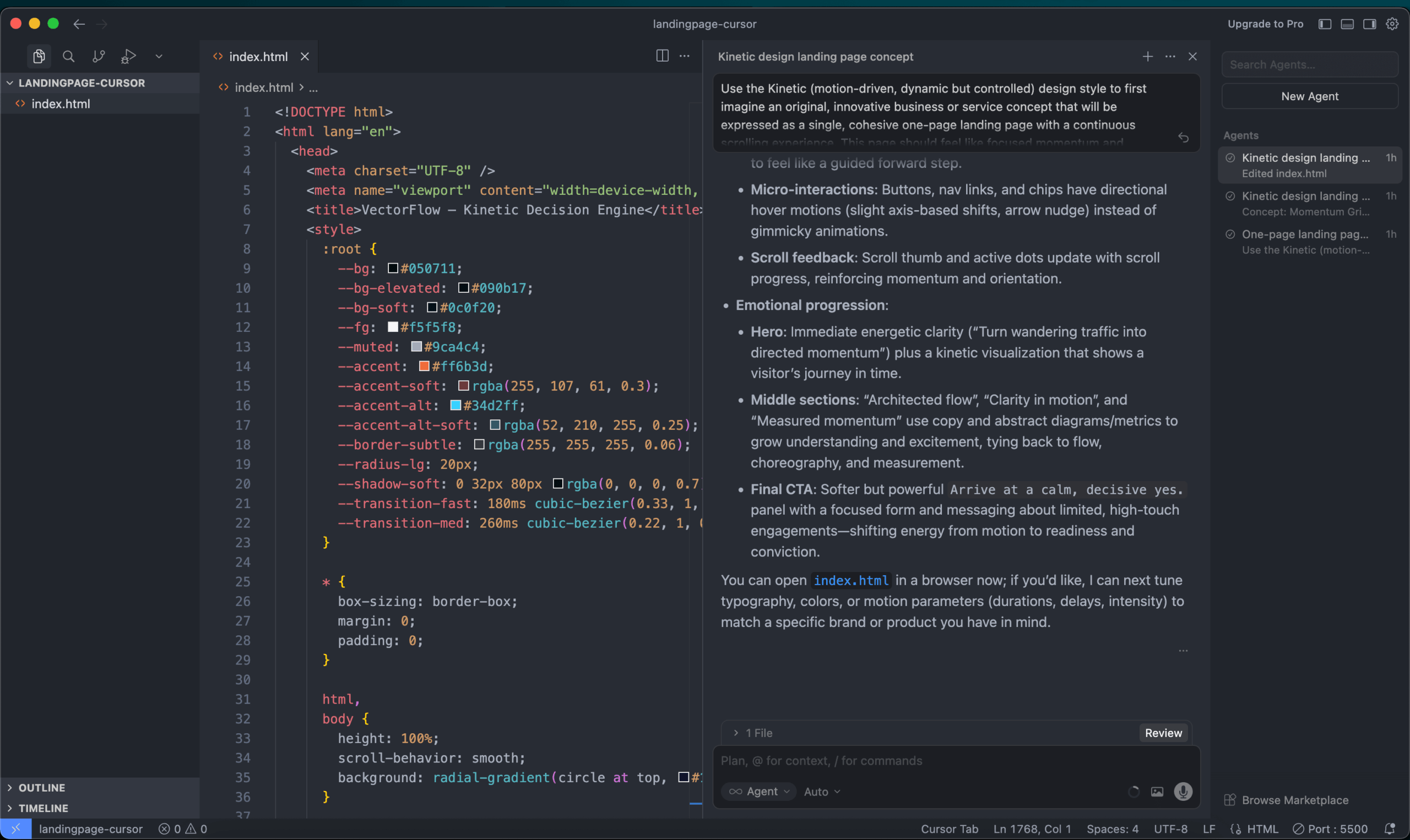
Cursor is a fork from VSC which explains the out of the box familiar design and feel
Speed
Winner: Cursor
What I Tested
I found a great prompt for landing page creation on Reddit and decided to use it for my test. After following the steps in this article to generate a landing page prompt, I created an index.html file and prompted each tool to build the page. Simple as that.
Outcome
After submitting the prompt, I noticed two key differences.
Cursor is significantly faster — it delivered a complete landing page in about two minutes. Claude Code, on the other hand, spent roughly five minutes planning before taking another two to edit the index.html file. Slower, but in my experience, the results were better.
So the right choice depends on what you need. Claude Code is the better pick when you want in-depth analysis and a powerful partner for a single codebase. Cursor wins when you need quick fixes and small features scattered across multiple projects.
Screenshot/Video
Claude Code took 31s to generate a z-index change - maybe a human would be faster (dare we say)?
Context
 Winner: Claude Code
What I Tested
I stress-tested both tools by spamming the AI agent with messages and forcing a large number of file reads to fill up the context window — to see how each tool handles the situation when context is nearly full.
Outcome
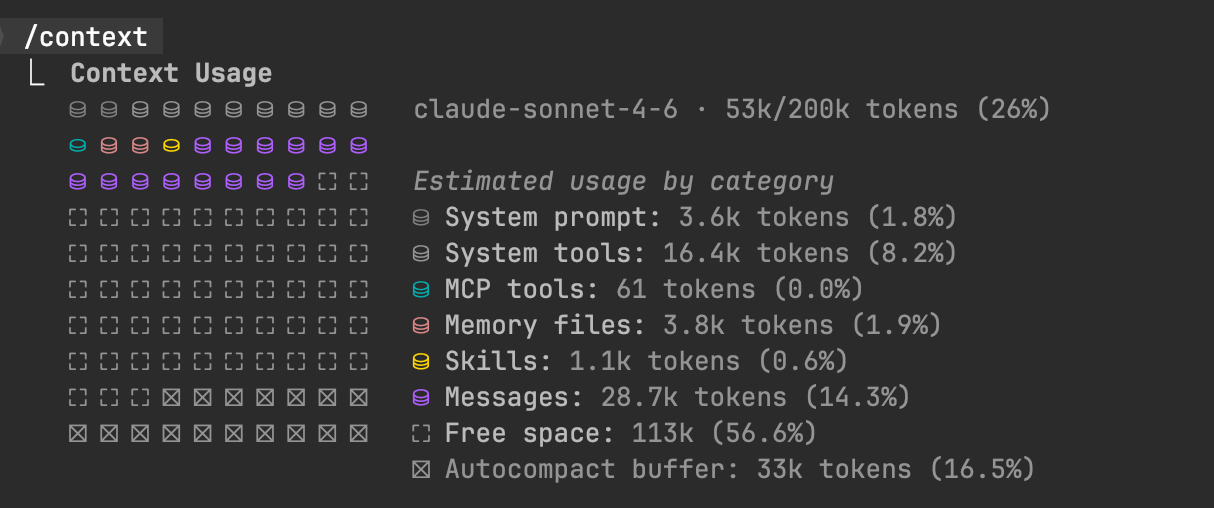
Claude Code handled it better, in my opinion. It warns you in time before the context fills up, compacts gracefully, and after compacting, picks up where it left off without missing a beat. It also offers handy slash commands — /compact and /clear — to manage context on demand and check your current usage.
One thing worth noting: context can get expensive fast as it fills up, which naturally pushed me to think more carefully about what I was feeding the tool.
In a way, Claude Code trains you to be intentional about context, while Cursor is the more hands-off, worry-free option.
Frontend
Winner: Claude Code
What I Tested
Once both tools finished, I compared the results.
Outcome
Both did a solid job producing a landing page from the same starting prompt — but Claude Code was on another level.
It took five times longer (10 minutes vs. 2), but the difference in output quality was stark. The Claude Code version felt considered — like it had actually thought before writing a single line. The Cursor page was usable, but Claude Code delivered something cleaner and more polished, ready to ship as-is without any retouching.
This is where the architectural difference between the two tools really shows.
Screenshot/Video
Cursor outputed a landing page in two minutes
Screenshot/Video
Claude Code took it's time but produced a much more polished and usable landing page
Cost/Pricing
Winner: Cursor
What I Tested
What is the cost for using Cursor compared to Claude Code
Outcome
Cursor has a free plan. Claude Code doesn’t — and that alone is a simple decision for anyone just looking to try things out.
Cursor is also cheaper in the long run. Claude Code is a more powerful and complex tool, but that power comes at a cost: there’s no free tier, and you’ll need to spend at least $17 just to take it for a spin. For that reason, I wouldn’t recommend it for beginners on a budget.
As for Cursor’s free plan — I can’t say how long it’ll last. But for now, being able to try the tool before committing to a monthly subscription is a big win.
Screenshot/Video
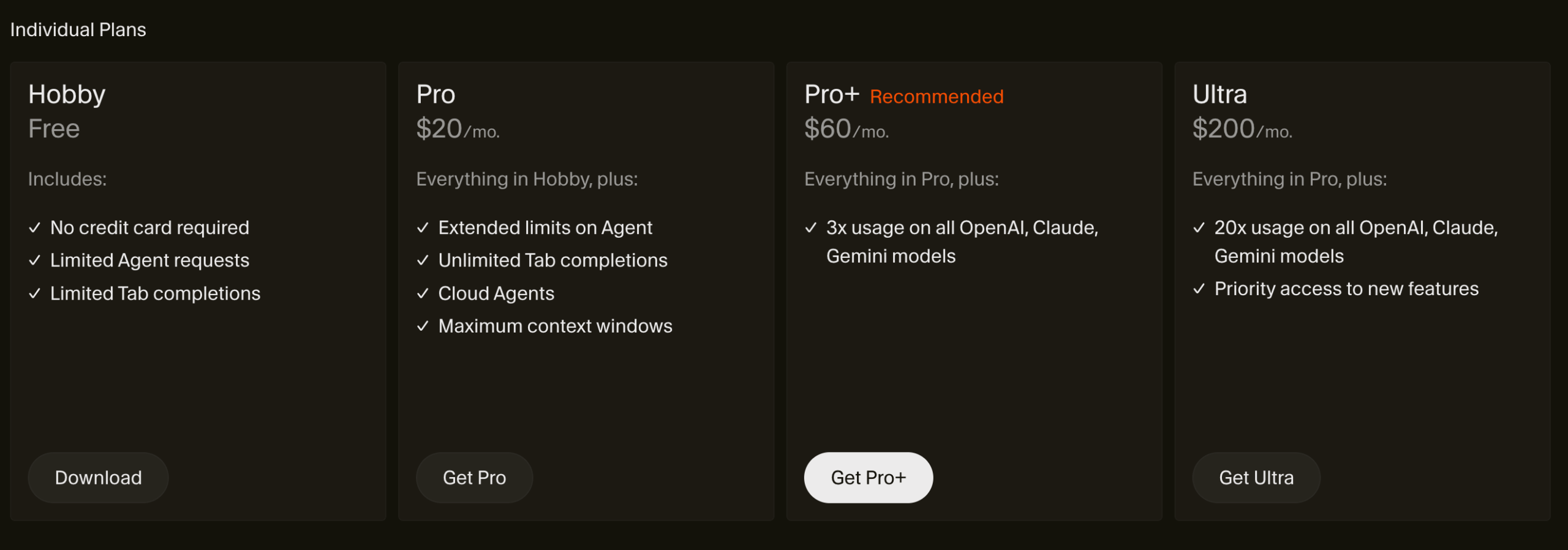
Cursor offers a Free hobby plan
Claude Code is a super plug-in option
Winner: Claude Code
What I Tested
How easy can the tools plug-in to an existing workflow?
Outcome
Easy answer for this one – Cursor is a fully fledged IDE, while Claude Code is a terminal-based agent you can run with any IDE you are used to.
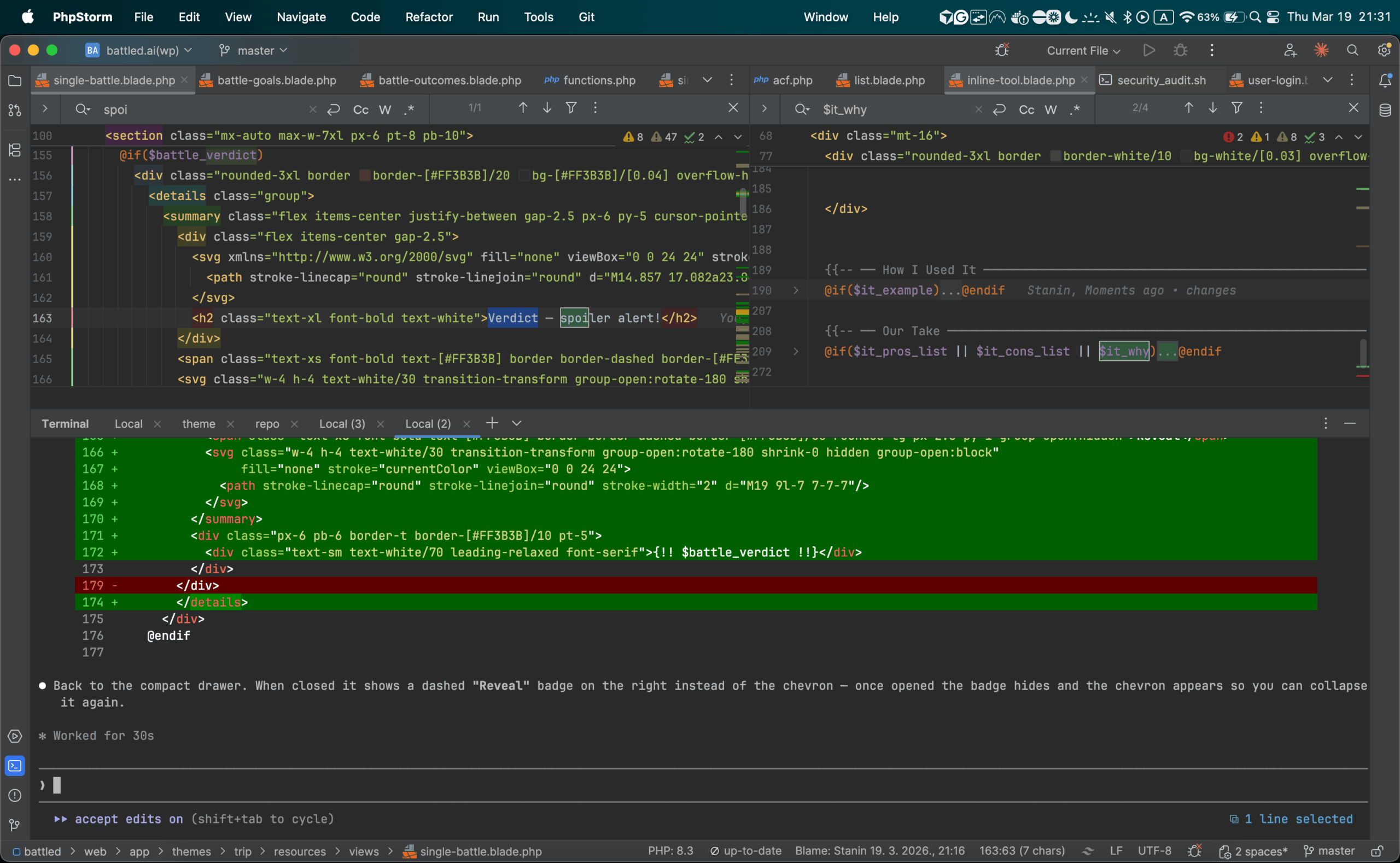
I’m using PHPStorm mostly in my workflow and didn’t like switching back to VSC to use Cursor.
I do like the fully fleshed out interface Cursor has – but for me personally, I like the flexibility that Claude Code gives to choose an IDE you like and plug it in.
Community Votes

How I score and review tools featured in this comparison
-
Step 1
I sign up and pay
No free trials gamed for a quick screenshot. I buy an actual subscription (or use the free tier the way a real user would) so I'm seeing the same experience you will.
-
Step 2
I set one specific goal
Before opening any tool, I define the task — something concrete like "build a landing page for a SaaS product" or "write a week of social content for a fitness brand." Every tool on the list gets the same goal, no exceptions.
-
Step 3
I send the exact same prompt to every tool
Word for word. Same prompt, same context, same constraints. This is the only way to compare output quality fairly — if the prompt changes, the comparison is meaningless.
-
Step 4
I score the results side by side
Output quality, speed, ease of use, and value for the price — scored out of 10 and averaged into the rating you see on this page. No affiliate deals influence the ranking. The number is the number.
-
Tested and reviewed by the Battled editorial team
Full scoring methodology
Related Battles


Add Your Verdict
I prefer: